Skip to content

Powered by NVIDIA Nemotron

Five AI users try your website before real ones do.

Paste a link and say what to try. Five different people use your site in a real browser while you watch, then you get where they got stuck, why, and the exact fix.

Test setup
Try a task:
Or open a finished report:SignupCheckoutBooking

Built with NVIDIA Nemotron 3 Ultra, Nebius Token Factory, Nemotron 3 Super, Tavily live research, Nemotron 3.5 Super VL, Real Chromium browsers, Nemotron 3.5 Lightning, Accessibility checks.

Watch a run

See where they get stuck, as it happens.

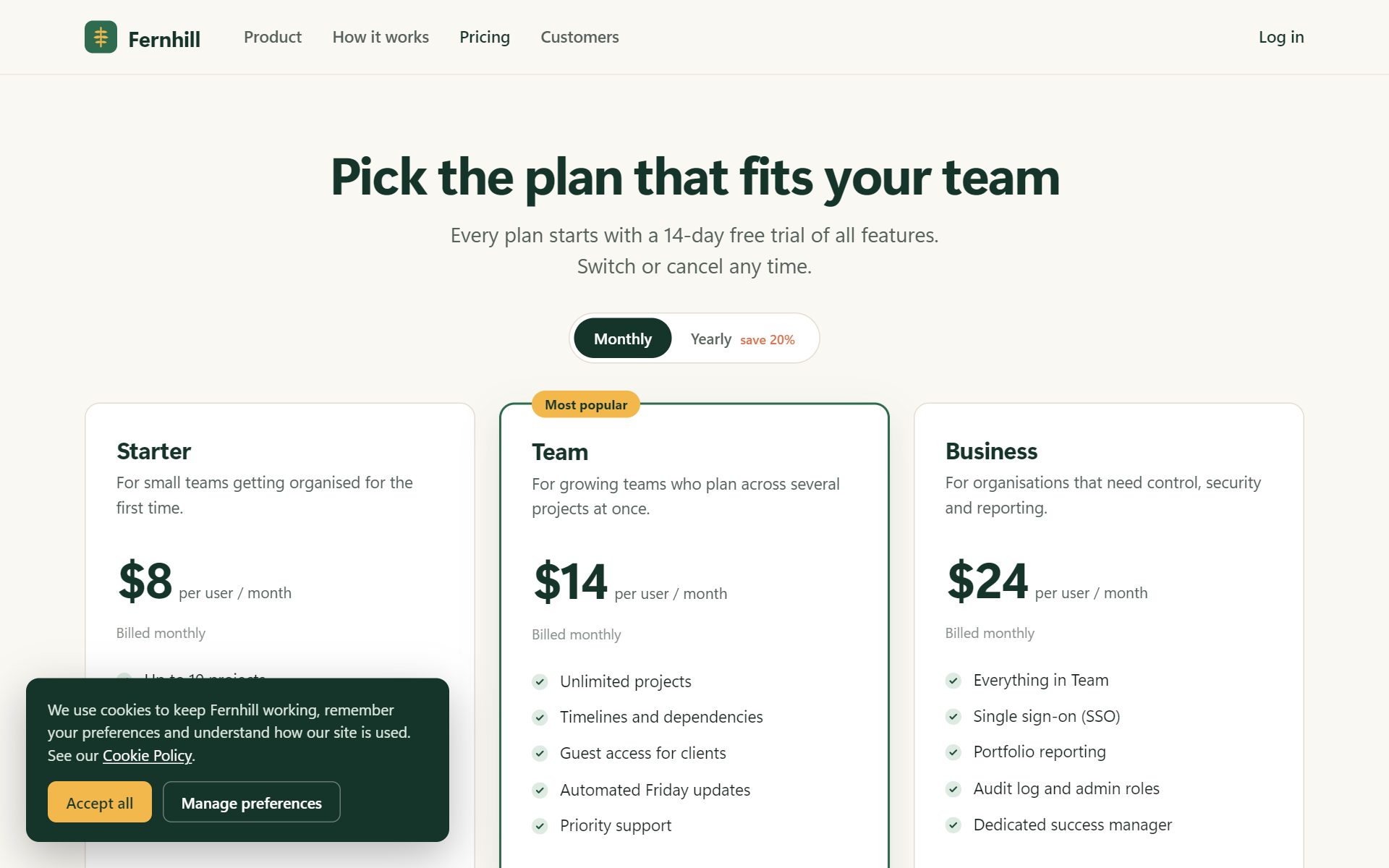
This is our Fernhill sample. Each character is a persona working through the same pricing page. When something confuses them you see it on their face, hear it in their words, and a pin lands on the exact spot.

Their face

Calm, confused, worried or fed up: the confusion score of every step.

Their words

What the persona was thinking, quoted in the report.

The pin

Taken from the page's own layout, so it lands on the real element.

The verdict

Who finished, who gave up, and why.

How it works

From a link to a fix list in three steps

No recruiting, no scheduling, no screen-share. Every step below runs on its own when you press Run.

  1. 01

    Five people are recruited

    Tavily researches your product's category and what its users complain about. Nemotron 3 Super turns that into five personas, each with a device, a reading style and a breaking point.

    Tavily researchNemotron 3 Super
  2. 02

    They use your site, live

    Five real browsers open at once. On every screen Nemotron 3.5 Super VL looks at what's there and Nemotron 3 Super decides what this person would click, type, or give up on. You watch them think.

    Real ChromiumNemotron 3.5 Super VL
  3. 03

    You get the fixes

    Nemotron 3 Ultra reads every step and writes the report: who got stuck, where, in their own words, and the exact change to ship. Copy, CSS or flow.

    Nemotron 3 UltraPins on screenshots

Meet the five

Not one tester. Five reasons to give up.

Every run recruits a fresh cast for your product, but they always cover these five kinds of people. A site that works for all of them works for almost everyone.

  • laptop

    Amina, 26

    First-timer

    Checks: Is it obvious where to start?

    “Accept cookies to clear the banner and proceed.”
  • laptop

    Diego, 34

    Power user in a hurry

    Checks: How many clicks until value?

    “Annoying that I have to pick a plan before I can even start.”
  • phone

    Kwame, 29

    Mobile only

    Checks: Does it work under a thumb?

    “That empty button might be a menu toggle.”
  • laptop

    Margaret, 68

    Low digital confidence

    Checks: Does it feel safe and clear?

    “I'm not comfortable entering my card details on a trial sign-up page.”
  • laptop

    Sunita, 42

    Non-native English reader

    Checks: Is the wording plain enough?

    “I notice a message saying my card has expired. That is confusing.”

What you get

Not a score. A fix list your team can ship today.

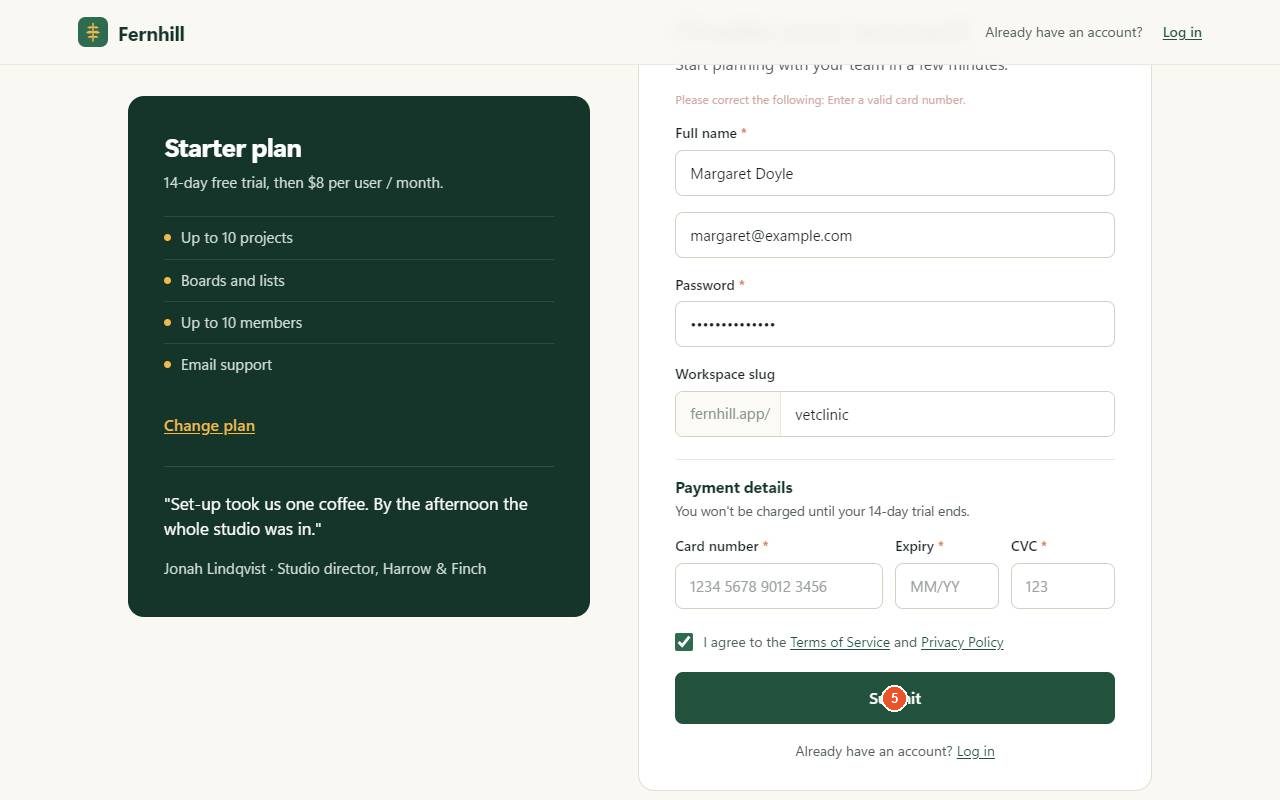
Every issue is pinned on the screen where it happened, backed by what a persona actually thought, and comes with the change to make. This one is straight from our Signup sample report.

fernhill.app/signup · Margaret, step 9
The signup form asks for card number, expiry and CVC before the account is created. Pin 1 marks the Submit button.

the pin comes from the page itself, not a guess

majorSignup · hit 2 of 5 users

Payment details required before account creation despite a 14-day free trial

The signup form demands card details before the account exists, even though the page promises no charge until the trial ends. Margaret and Sunita both had to type test card numbers to get through, which adds friction and distrust.

“I'm not comfortable entering my card details on a trial sign-up page.”
Margaret, 68, during the run

Flow fix · Drop payment from signup; ask for it when the trial ends or the user upgrades.

+Signup asks for name, email, password and workspace. Payment waits for the trial banner or the upgrade flow.

Open the full report
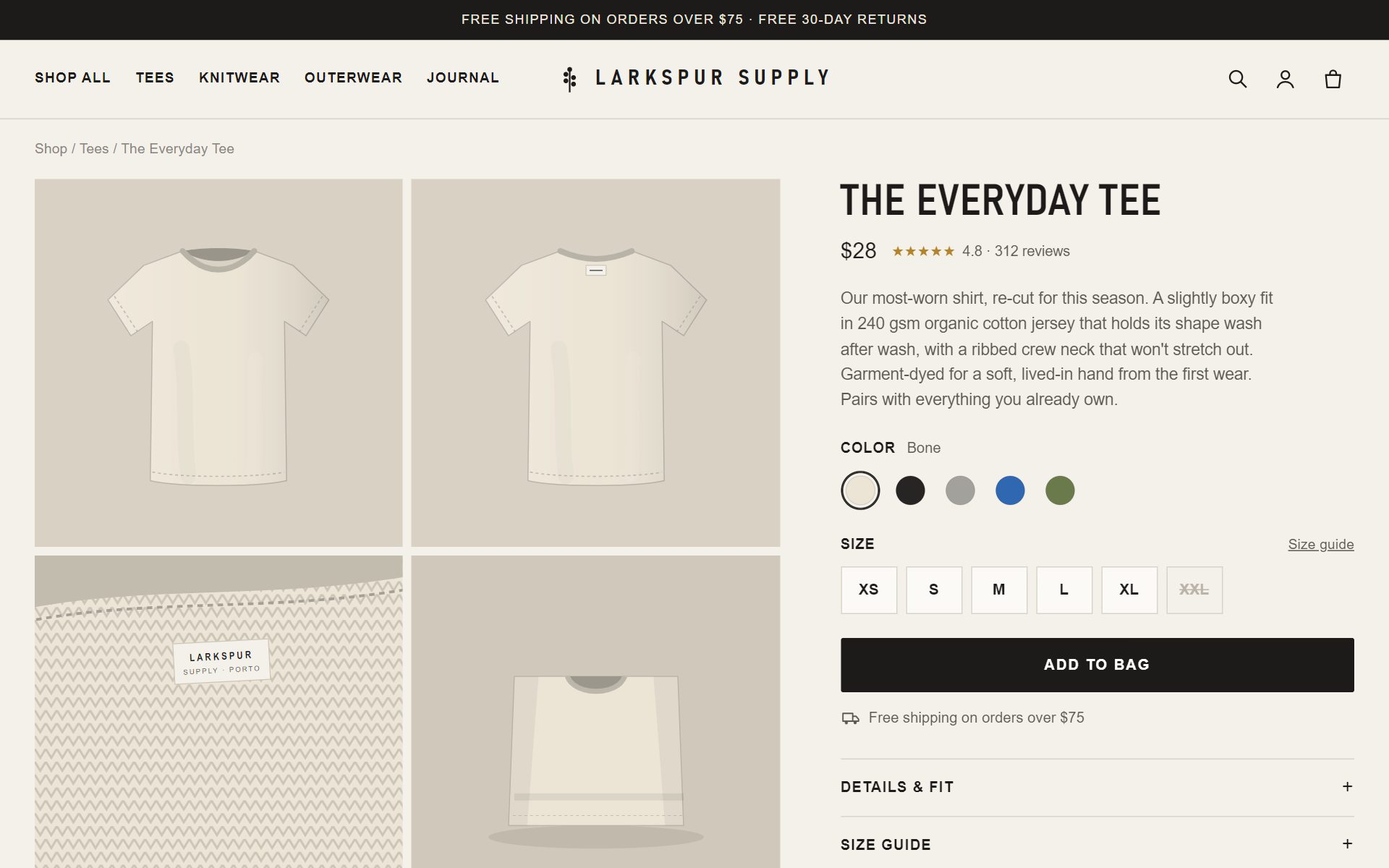
criticalCheckout sample

Colour swatches have no labels and no selected state

Nobody could confirm they had picked blue. Every swatch is an unlabeled button and nothing changes when you choose one, so people clicked again and again.

“I'm unsure which color is blue and don't want to guess and make a mistake.” Margaret, 68

CSS fix · Name each swatch and show the chosen one clearly.

.swatch::after { content: attr(data-color); }
.swatch[aria-pressed="true"] { outline: 3px solid #0066cc; }
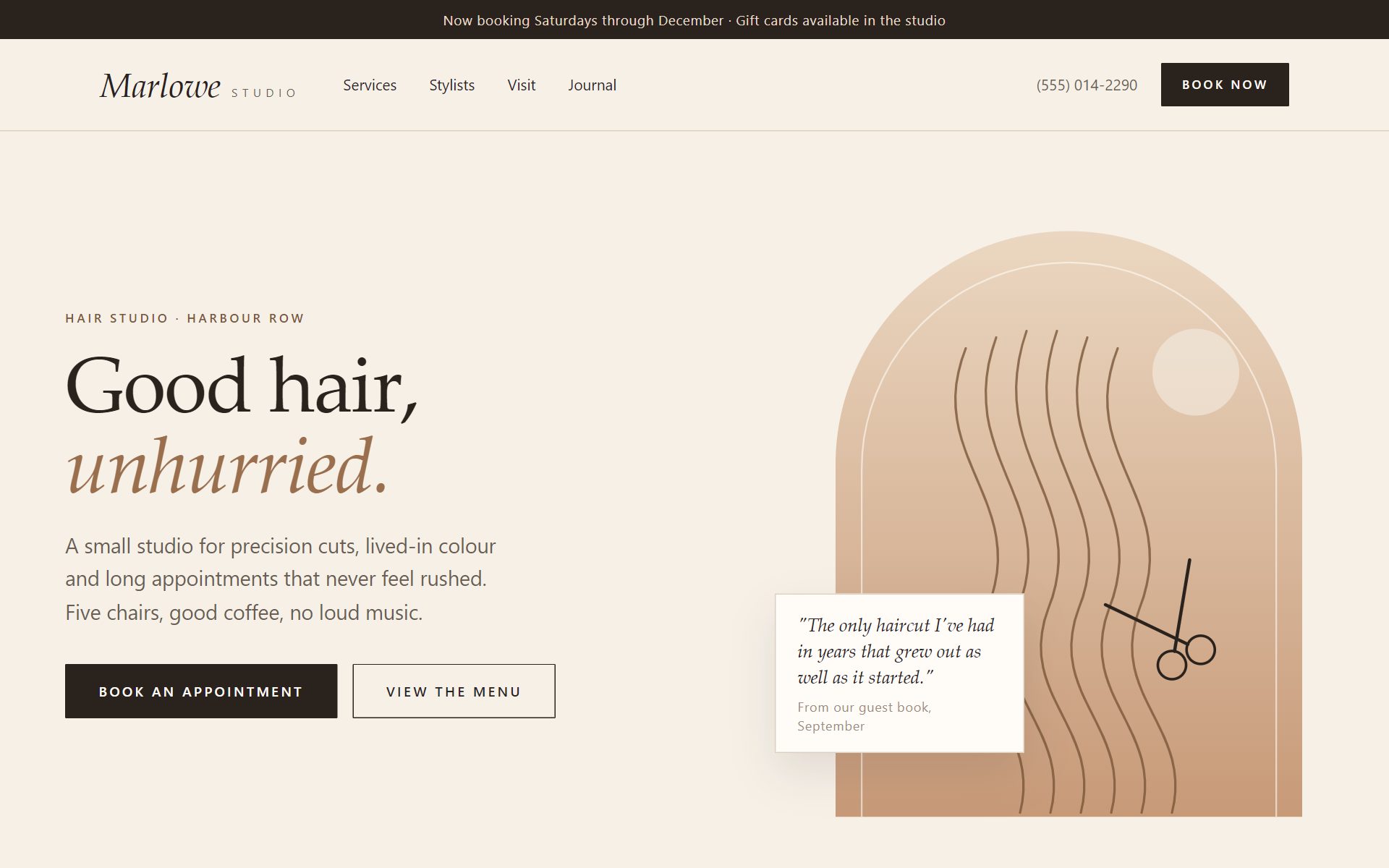
criticalBooking sample

Saturday's time slots never appear after picking Saturday

After choosing Saturday 24, the grid still said 'Available times · Tuesday 20 October'. Scrolling didn't help, so Kofi gave up.

“Maybe more dates appear if I scroll down.” Kofi, mobile

Flow fix · Show the chosen day's times right away and update the label.

+Picking a date loads that date's slots and the label names the chosen day.

Under the hood

Every step runs on NVIDIA Nemotron, served by Nebius Token Factory.

Four Nemotron models, each on the job it's best at, plus Tavily for live research. One run is a real multi-step agent workflow, not a single prompt.

  1. Nemotron 3.5 Lightning

    Reads your site and names its category

    Preparing
  2. Tavily

    api.tavily.com

    Researches who uses products like yours and what they hate

    Recruiting
  3. Nemotron 3 Super

    Writes the five personas, then decides every click and keystroke with tool calls

    Recruiting · Testing
  4. Nemotron 3.5 Super VL

    Looks at every screenshot as that persona, checks every “done”, reviews each screen

    Testing · Reviewing
  5. Nemotron 3 Ultra

    Reads the whole run and writes the issues, quotes and fixes

    Writing
AI users per test, in parallel
5AI users per test, in parallel
Nemotron calls per run
~130Nemotron calls per run
model cost per run
~$0.10model cost per run
from link to report
~2 minfrom link to report

Real runs

Three flawed sites. Three real reports.

We built three websites with known usability flaws and let FiveUsers loose on them. Open any report: every step, every quote and every fix is from the actual run.

Your users are about to try it. Let five go first.

One link, one task, a couple of minutes. No signup, no SDK, nothing to install on your site.